Guide
Can ChatGPT edit videos?
Yes, for short clips, and further with a plugin. In published tests, ChatGPT itself trimmed, cropped and captioned a clip and returned an MP4, and in another added a grade, music and on-screen text. Codex with a plugin cut the pauses out of 8 raw clips to make a 41-second video. OpenAI's own help page says its look at a video may not cover all of it or get its sound right. Here is what each source says, and 39 seconds of a real talk, cut.
The short answer
What OpenAI's help pages say
Two of OpenAI's help pages bear on a video you upload. Both were read for this guide on 2026-11-02, and neither says ChatGPT itself cuts a video and hands it back.
- A video can go in. ChatGPT accepts video files as attachments, on Free plans too, though what works varies by platform, upload method and account (OpenAI's image inputs FAQ, read 2026-11-02).
- The look at it can be partial. The same page says ChatGPT may use tools to analyze an uploaded video, and warns:
It may not analyze the entire video or accurately interpret its audio.
- Sound alone is for paid plans. Audio files such as MP3, M4A or WAV can be uploaded on paid plans, up to 512 MB, and not on the Free plan. An MP4 that is identified as video is not taken as an audio upload, and transcripts may contain errors (OpenAI's page on uploading files and audio, read 2026-11-02).
- Free accounts get three uploads a day. The upload page limits Free users to three file uploads a day, which OpenAI may lower at busy times, and the image inputs FAQ says a video counts toward a plan's upload limits.
What tests show
Three published tests
The people who tried it show more than OpenAI's pages say. These three tests were read on 2026-11-02. None of them was run for this guide.
- A plain chat, one clip. OpenArt, a company that sells AI video tools, published a test of a regular ChatGPT chat on 2026-10-23. The chat trimmed an uploaded clip to 3 seconds, cropped a 16:9 clip to 3:2, added a caption with a fade, and returned each as an MP4. One download link failed, and ChatGPT later said it had not checked the finished video. Edits across many clips, and captions timed to each spoken word, were outside the test (OpenArt's article).
- Inside ChatGPT, a look and music. In a video posted on 2026-10-09, AI Video School had ChatGPT, with no editing app open and no connection to an AI video service, add a black-and-white look, a colour grade, music, a countdown timer, picture-in-picture and on-screen text to existing footage. In a second test it found images on the web as B-roll for a commentary, and some showed the wrong character (the video's description).
- Codex with a plugin, a 41-second video. In a tutorial by Caffeinated Blogger, Codex used HyperFrames, an open-source plugin that renders the video on your own computer, to edit 8 raw clips. It transcribed them, cut the pauses and false starts, added text and captions, then checked its own render and fixed what it found. It took about 30 minutes for a 41-second video, and the description says the Codex desktop app and plugins start on the Plus plan (the tutorial's description).
Most of the other how-to videos near the top of Google's results for “can ChatGPT edit videos” and “ChatGPT video editor” use a plugin too: ChatCut's, inside ChatGPT, or HyperFrames in Codex, which OpenArt's article says HeyGen makes. With a plugin, the cut is made by the plugin's own editor, or by code that Codex writes and HyperFrames renders on your computer, not by ChatGPT itself. What that costs and where your footage goes are set by those tools, so read their pages before you upload.
None of these three tests placed a person's own clips over the lines of a long talk, or handed back a timeline for Premiere, Final Cut or DaVinci Resolve. Codex checking its own render and fixing what it found is the kind of loop that makes an AI editor an agent: what a video editing agent is shows one at work on a long talk, step by step, beside what a benchmark of 56 editing jobs found.
One real take
39 seconds of a raw talk, cut by its sound
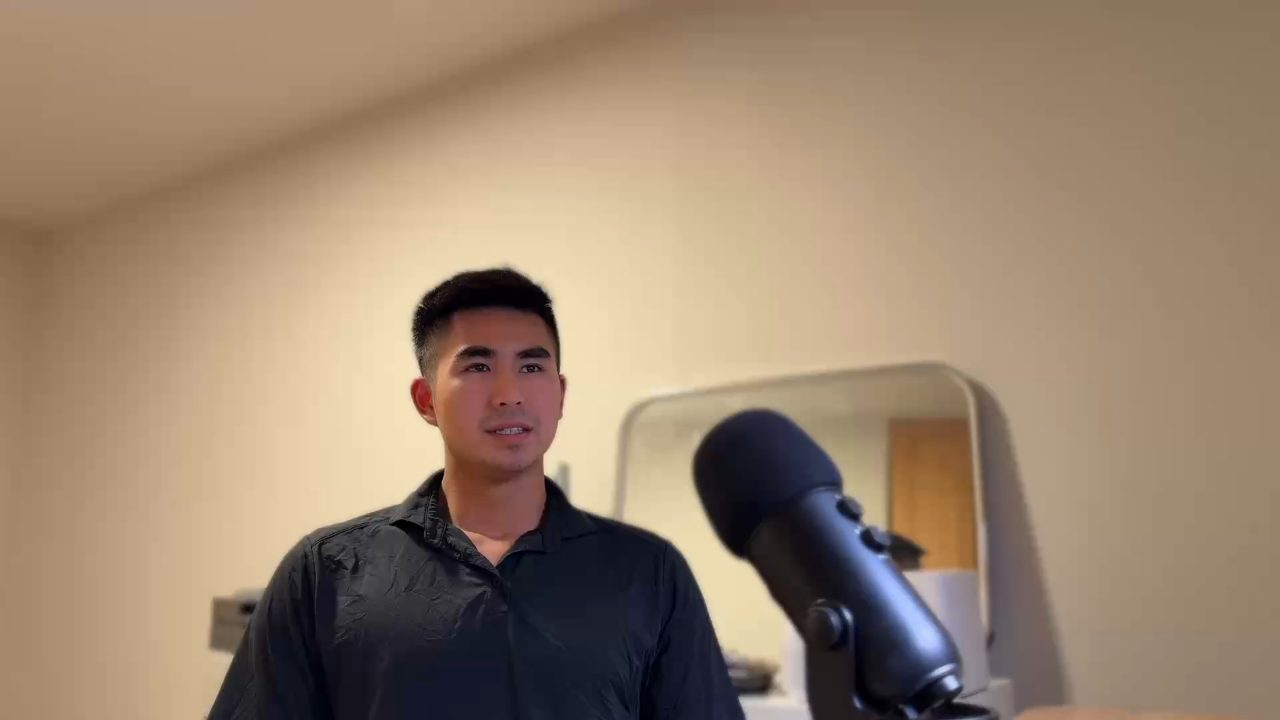
I'm Kyle, and I built Takehound, an editor for long talks to camera, so weigh what this page says about it. This take is 39.4 seconds of a talk of mine, as recorded. It is the sample in the try box on Takehound's home page.
Here is what each side does with a take like this one. The left column comes from OpenAI's pages and the first two tests above, and was not run on this take.
ChatGPT on its own
From OpenAI's help pages and two tests inside ChatGPT, read 2026-11-02
- What goes in
- The video as an attachment, or its sound as an audio file on a paid plan
- What it reads
- What its tools take from the file, which may not cover the whole video or interpret its sound accurately
- What comes back
- A transcript, a summary, answers in the chat. In the tests, a clip trimmed, cropped or captioned as an MP4, and footage given a grade, music and text
Takehound's try box
On the home page, with a clip you pick
- What goes in
- A small copy of the clip's sound, sent to Takehound's server and deleted once it has been read. For this take, nothing: its words come with the page
- What it reads
- Each word with its start and end, from a speech model that runs on Takehound's own server
- What comes back
- The clip played back with the cuts made, and the words marked for cutting struck through
- 0:39The take as recorded
- 0:33As the try box plays it back
- 6.4 sTaken out in all
These are the first 25 seconds of the take, in the box's own transcript, marked the way the box marks them.
Right, if you think about a lot of the adventures that we have today, um, Steve Jobs, right, he never invented the phone. Right, and the iPhone, the phone was always there, but what he did was he borrowed what was already great about the phone. Right, the telecommunications, 0.8 s the keypad, um, using it within your hands, those concepts were not novel and he didn't create those.
In these lines, each struck word comes out, with the silence around it. Where a pause between two kept words comes out, the mark shows how much of it was cut: the box keeps a breath either side of each word.
Two ums, with the silence around each, 0.8 seconds of a one-second pause, and a fifth of a second before the first word come out of these lines. The box on the home page does the same to a clip you pick, up to two minutes, with no sign-up.
That is the simplest part of a cut, worked out from the words' times. Some ums never reach a transcript as words. In a test on 2026-10-14, asked in plain words to cut my ums, Takehound's editor, on an earlier model than it runs now, reported cutting 13 by ear from the first 100 seconds of the 7:23 talk below, where the transcript had folded them into the words around them.
The full first pass
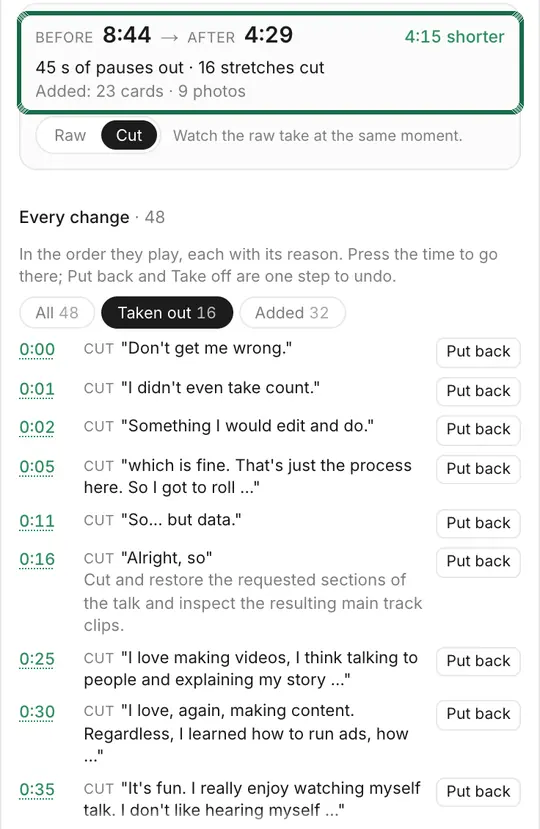
One press on a 7:23 talk
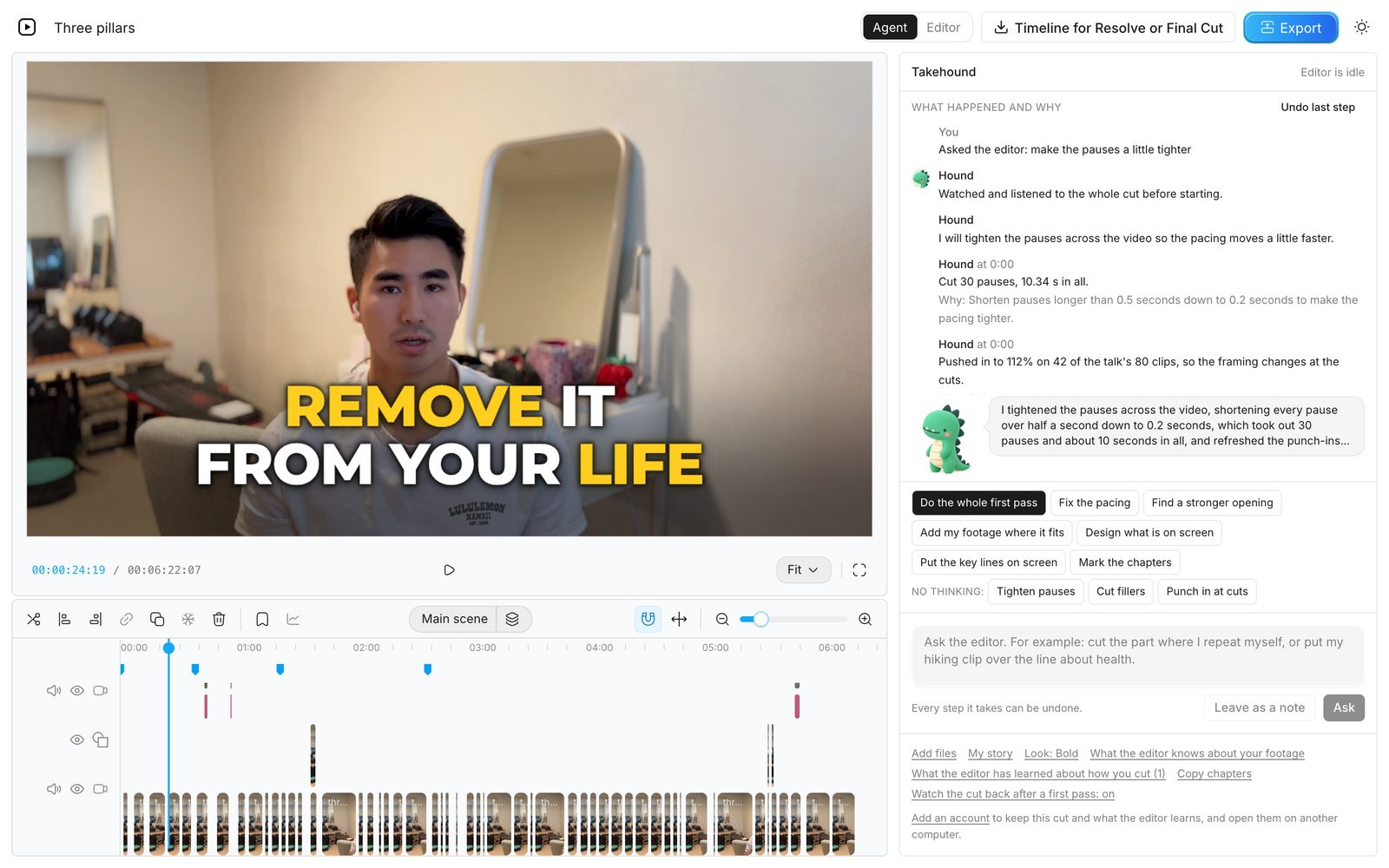
On 2026-10-17, the button “Do the whole first pass” was pressed once on another talk of mine, unedited but for a first minute trimmed off beforehand, with my own footage library added. These are the lengths and the time from that run.
- 7:23The talk as it went in
- 6:32After the one press
- 9:24How long the pass ran
In that one pass the editor:
- cut filler words, false starts and doubled words;
- opened the video on a line from 5:03, as a cold open;
- placed 23 of my own clips over lines of the talk;
- put a title, three chapters, three lists and seven punch lines on screen, among other cards;
- graded the picture and took a hum off the sound;
- watched its own cut back, and fixed a card that sat over my hands.
How those 9:24 sit beside the steps of an edit by hand and an editing service's turnaround is in how long it takes to edit a YouTube video.
Using ChatGPT on a talk anyway
- Give it the sound. On a paid plan, export the talk's sound as an MP3 or M4A and upload that, since an MP4 identified as video is not taken as audio. Ask for a transcript, then ask which lines repeat or wander.
- Check it against the recording. OpenAI says transcripts may contain errors, so play each spot before you cut it.
- Cut it yourself. Make the cuts on the timeline in Premiere, Final Cut or DaVinci Resolve.
- For one short clip, ask the chat. A trim, a crop or a caption worked in OpenArt's test, though its crops come from the center of the frame, so name what must stay in it. Play the file it returns before you use it.
- Or add a plugin. Then the cut is made by the plugin, not by ChatGPT itself, so the plugin's own pages say what it does and costs.
Where Takehound fits
Takehound is an AI video editor in Chrome on a laptop or desktop, for long talk-to-camera videos. It runs on its own site, not inside ChatGPT. Its agent is Hound, and on a talk he watches and listens to the cut. One press makes a first pass on your recording: he cuts long pauses, filler words and repeated takes, places your own footage on the lines it fits, and puts key lines on screen, with a reason for each change.
B-roll is only your own footage, and a line none of it fits stays on you. Steer him in plain words, and he learns how you cut. Then export an MP4, or a timeline (FCPXML) that imports into DaVinci Resolve, where its clips then need relinking to your footage. It does not export to Premiere, and the file has not been opened in Final Cut.
Sign in with Google for a free first video, up to 30 minutes. See privacy.
Other tools place your own clips too: AI B-roll from your own footage compares nine of them.
See how Takehound worksQuestions
Can ChatGPT edit videos for free?
A video can be attached on the Free plan, says OpenAI's image inputs FAQ. Free accounts are limited to three file uploads a day and need a paid plan to upload the sound alone, says its upload page. The Codex desktop app and plugins start on the Plus plan, says the description of Caffeinated Blogger's tutorial. The two tests inside ChatGPT don't say which plan they used. All three pages were read on 2026-11-02.
Can ChatGPT take the ums and pauses out of my video?
In Caffeinated Blogger's tutorial, Codex with the HyperFrames plugin cut the pauses and false starts out of 8 raw clips to make a 41-second video, in about 30 minutes. OpenAI's pages and the two tests inside ChatGPT don't show it. The try box on Takehound's home page cuts the pauses, and most of the ums and doubled words it finds, in a clip of yours, up to two minutes, by the words' times, with no sign-up, and plays it back.
Can ChatGPT use my own clips as B-roll?
In AI Video School's test, ChatGPT found images on the web as B-roll, and some showed the wrong character. None of the tests found for this guide placed a person's own clips over the lines they fit. In Takehound, B-roll is only your own footage, and a line none of it fits stays on you.
Why not just use ChatGPT or Claude?
A chat assistant can make simple edits and tell you what to cut, and a coding tool can run the cuts on your computer if you set it up. Unless it is set up to check its own work, you are the one watching each render and fixing it. On a talk, Hound, Takehound's editor, watches and listens to his own cut and fixes what he finds, in a timeline you can see, where every step can be undone.
More guides
- What is a talking head video? Real frames from one
What the term means, what counts as one, and one real talk cut from 7:23 to 6:22, with B-roll and words on screen added.
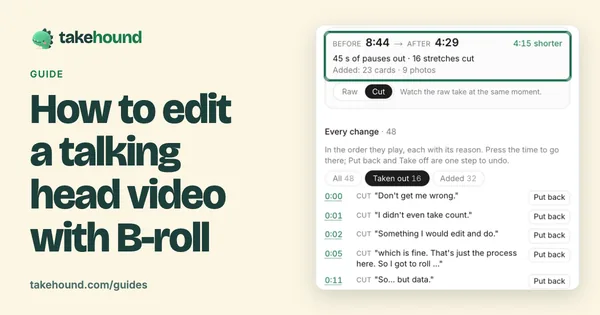
- How to edit a talking head video with B-roll
When to cut away or stay on the speaker, shown cut by cut on one real 50-second talk.
- How to import FCPXML into DaVinci Resolve or Final Cut Pro
In Resolve, File > Import > Timeline. In Final Cut Pro, File > Import > XML. Then relink missing clips to your footage folder.