Guide
Video editing agent: what one did on a real talk
A video editing agent is an AI system that chooses its own next step in an edit, from what it finds along the way, using the editor's tools.
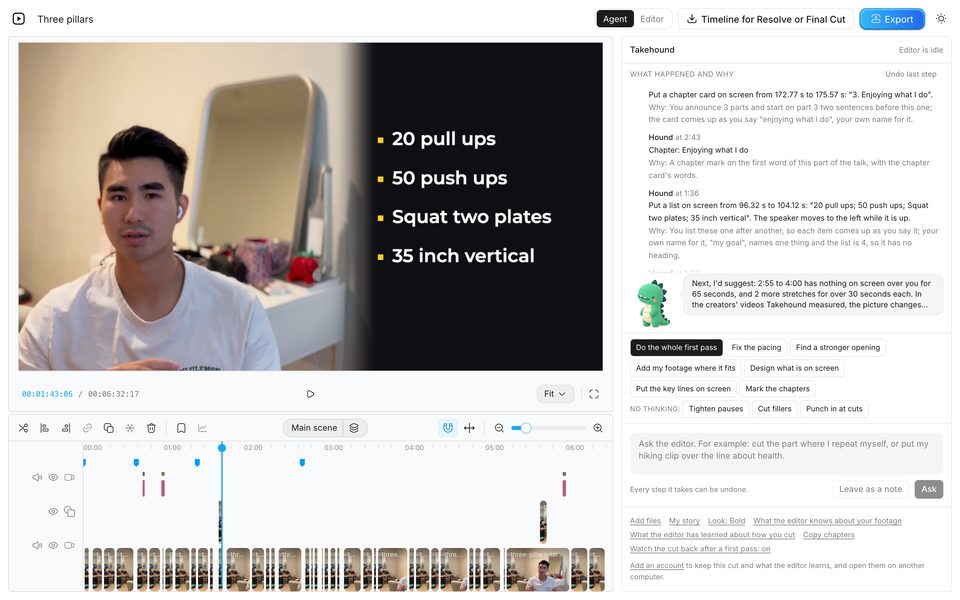
Below: what a benchmark of 56 real editing jobs found, and one agent's run on a 7:23 talk. The page is by the maker of that agent.
The term
What makes an editor an agent
Anthropic, which makes the Claude models, draws the line in its guide to building effective agents, written in December 2024 and read on 2026-11-03; a note on it says much of the tooling it describes has changed since. It calls both kinds agentic systems. In a workflow, models and tools follow paths written in advance in code. An agent directs its own process and its own use of tools, and keeps control of how it does the task. The same guide says an agent needs ground truth
from its surroundings at each step, such as a tool's result, and can stop for a person's feedback at checkpoints or when it is blocked.
Steps written in advance
A button that removes silences runs the same steps on every file. A pipeline that transcribes, then cuts, then places clips in a set order follows that path even when an AI model does each step.
An agent
It picks its next step from what it finds: it reads what was said, cuts, places a clip, looks at the result and decides what to do next, until it is done or stops to ask you.
The word is used for quite different products. Three on the first page of Google's results for “video editing agent”, read on 2026-11-03, show the range:
- An editor with agents in it. invideo calls its browser editor an agentic video editor, whose agents
watch the footage, work the timeline, and hand back a cut
. Its page says they watch every take and log each line, moment and angle, take out filler, silences and flubbed takes for a first draft, and can grade and clean up dialogue. Its FAQ says the project also has 200 or more video, image and audio models that make new shots, voiceovers and music on request, and stock from iStock, Shutterstock, Storyblocks and more, cleared for commercial use, that the agents can pull in themselves. An edit exports as an editable project for Premiere Pro, Final Cut Pro or DaVinci Resolve, and any change can be undone or redone. The page was read on 2026-11-03. - An AI editor for video pros. Eddie AI says it is an assistant video editor built for professional video editors: you describe the story and edits in plain language, and it turns raw interview footage into a structured rough cut. Its FAQ says it also grades, adds music, motion graphics, voiceover and captions, and exports to Premiere Pro, Final Cut Pro and DaVinci Resolve, with Avid in beta. Its features include stock B-roll from a licence-free library, imported only when you pick it, and generated video, and its home page says every edit is a tool your agent can call, from Codex, Cursor or its API. Its home page and its Stock B-roll page were read on 2026-11-03.
- A video generated for you. Agent Opus, by Opusclip Inc., says it generates full story videos from your scripts, voice and brand assets, ready to post, and its page starts from an idea or an audio upload. The page was read on 2026-11-03.
What was measured
What a benchmark found when agents edited real footage
Timeline-Bench, a preprint posted to arXiv on 2026-09-28 and described there as under review, gave AI agents 56 real editing jobs, each from raw production material to a finished video: picking dialog takes, shaping interview footage into a story, cutting commercials. Sixteen agents were tested. Fifteen paired an AI model with a coding-agent tool, mostly OpenCode and also Codex or Claude Code, with code tools such as FFmpeg, and the sixteenth, GPT-6 Astra in Codex, worked in DaVinci Resolve by computer use. 43 professional video editors compared each agent's edit with the task's professional reference edit, blind. The paper was read on 2026-11-03.
- Few jobs were resolved. 857 of the 863 videos the agents delivered met the delivery specification, and 762 passed every test of the brief. A job counted as resolved only when the edit passed all of its tests, among them a quality test scored by AI judges calibrated on the editors' judgments, which an edit passed only by scoring higher than the professional edit. The best agent, GPT-6 Astra in Codex with written editorial guidance, resolved 15 of the 56 (26.8%), though the paper says the agents near the top cannot be told apart. The average agent resolved 14.0%.
- Editors preferred the professional edit. In 2,582 judgments, the editors preferred the professional reference edit 83.5% of the time and the agent's edit 11.1%.
- Craft was where they fell short. Of the 771 runs that were not resolved, 562 failed only the quality test. The paper says the agents perceived footage through stills and transcripts, and checked their renders for defects, not craft.
- Their checks missed the story. Of the problems the code agents reported after checking their own render, 5.5% were about pacing, story or shot choice, against 66% of the editors' notes preferring the professional edit.
- They said they were done. The agents' final messages claimed full success in 93% of runs, including 95.5% of the edits that failed a test.
- Time and cost. The median run took from 16 to 61 minutes, depending on the agent. Across the 12 agents whose costs were recorded, the average cost of a run ranged from $0.13 to $41.27.
None of the three products above, invideo, Eddie AI and Agent Opus, was among the sixteen, and Takehound's agent has not been run on this benchmark either, so these numbers say nothing about any of them either way. They do suggest two questions for any editing agent: what it takes in, moving picture and sound or stills and a transcript, and whether its checks look at the story or only at defects.
One real run
One agent, one talk, step by step
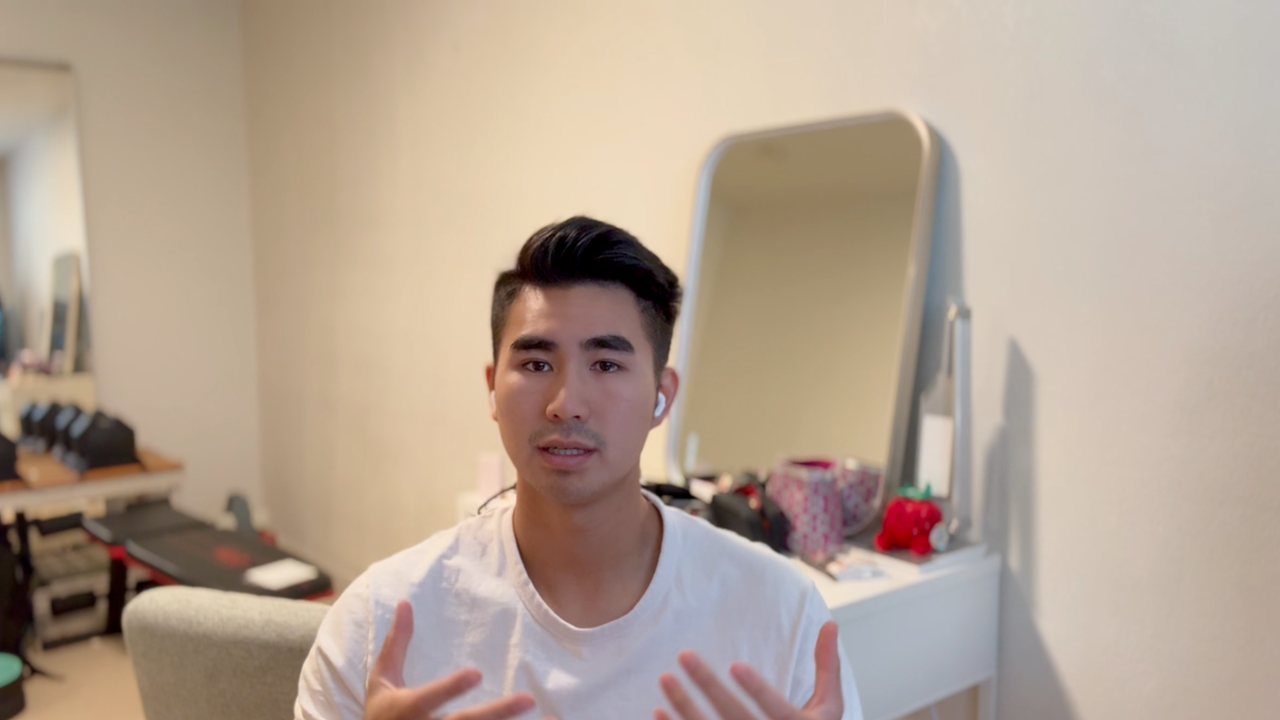
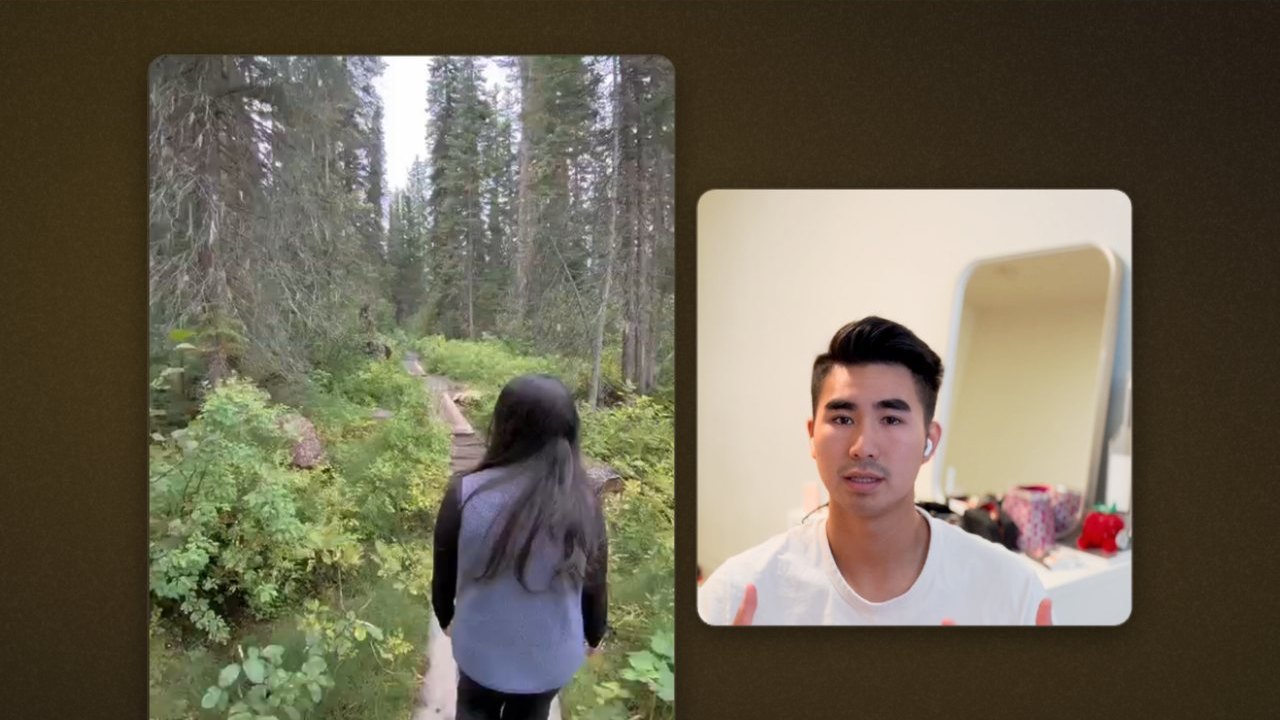
I'm Kyle, and I built Takehound, an editor in the browser for long talks to camera. Its agent is Hound. I built it, so weigh what this section says about him. On 2026-11-02, Hound was given a 7:23 talk of mine, unedited but for a first minute trimmed off beforehand, and 48 of my clips from a trip to Banff as the footage library. The run was made on my computer in a test browser with no screen, with the AI models the site used that day. The clips had already been described in an earlier test, so describing them is not part of this run or its cost. Describing the same 48 clips cost $1.23 and $1.26 in two runs in October.
The first pass: one press
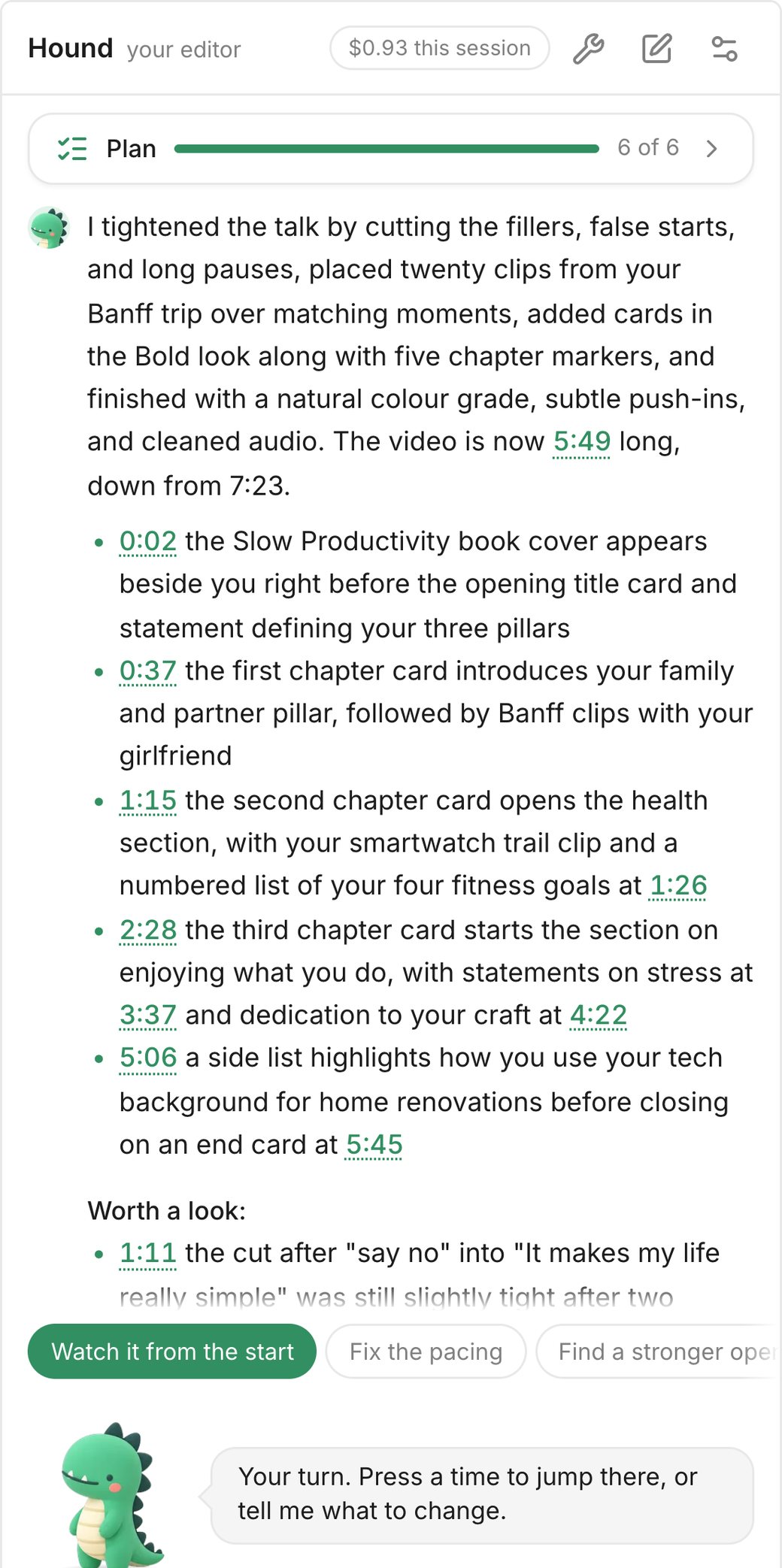
One press started the first pass. Hound made a plan of six steps and worked through them, each step listed in his panel as he took it. He finished with a report:
- 7:23The talk as it went in
- 5:49After the first pass
- $0.93Model calls for this pass, describing the clips not included
- He cut filler words, false starts and long pauses.
- He placed 20 of the Banff clips over moments of the talk he matched them to.
- He added cards and five chapter markers, graded the picture, added slight push-ins and cleaned the sound.
- Where the talk names a book, he put up its cover beside me as a reference, not as B-roll. His panel marks references as not your footage and not cleared for you, as the next video below shows, so whether to publish one is your call.
- He listed what to look at, each moment a time you press to jump there, and under “Worth a look” a cut at 1:11 he still found slightly tight.
The clips reach Hound as written descriptions, made from two stills from each stretch of a clip: about one stretch every 8 seconds, at most ten a clip, so a long clip is sampled more thinly. The cut itself he watched 6 times in this pass, in whole or in part: each time, that stretch of the cut, picture and sound, went to a video model with his question, and its answer came back in words. The $0.93 is what the pass's AI model calls cost on the day. With describing the clips at October's $1.23 to $1.26, the same work from scratch comes to about $2.16 to $2.19. These are costs, not a price: in Takehound a job uses credits.
The ask: one sentence in plain words
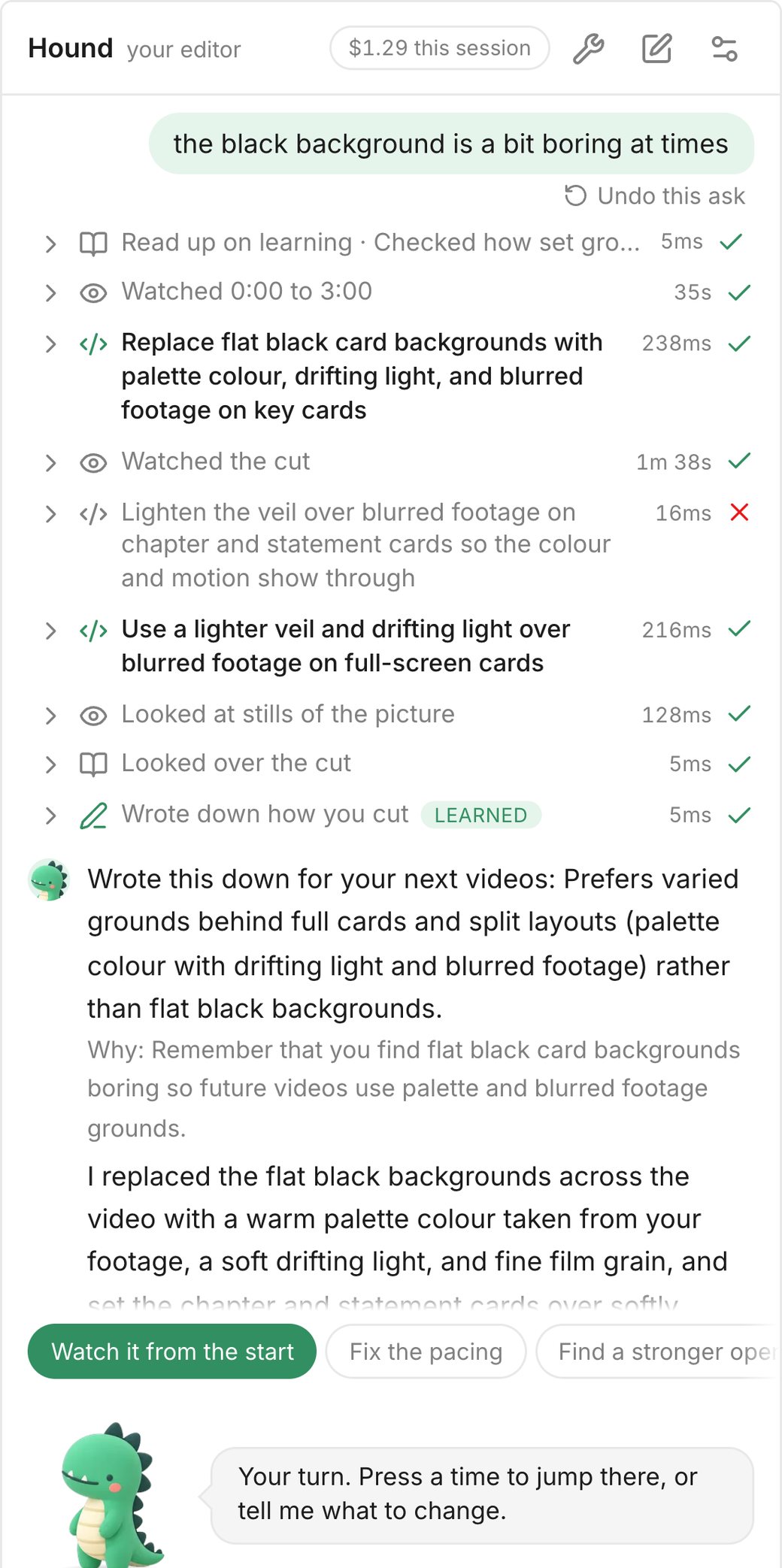
Then one sentence went into his panel, my own words from the day before: “the black background is a bit boring at times”. His panel listed his steps, here in short:
- Read up on how he learns your style, and checked how backgrounds are set.
- Watched 0:00 to 3:00 of the cut.
- Replaced the flat black backgrounds of key cards with a colour from the video, a drifting light and blurred footage.
- Watched the cut.
- Tried to lighten the veil over the blurred footage on chapter and statement cards. That step failed.
- Did it another way: a lighter veil and drifting light over the blurred footage on full-screen cards.
- Looked at stills of the picture.
- Looked over the cut.
- Wrote down how I cut, without being asked to.
In all, by the run's log, he put 8 full-screen cards and 17 split layouts on a colour from the video or on blurred footage. The line he wrote down: “Prefers varied grounds behind full cards and split layouts (palette colour with drifting light and blurred footage) rather than flat black backgrounds.” After the retried step he looked at stills and looked over the cut, and did not watch it again. The ask cost $0.36 of model calls.
How it is undone
“Undo this ask” sits under the newest ask, and shows under older asks when you point at them, once he has stopped working. It takes the cut back to how it was just before that ask, and his conversation too. Note that it also takes back any edits you made yourself after that ask. Each step of his that changes the cut is also one step in the editor's own undo, with its reason in his panel, so undo takes his steps back one at a time; one step can change many cards at once.
Both work while the page that ran the ask is still open. After a reload, “Undo this ask” only takes his conversation back, and his changes to the cut are undone by hand. A line he wrote down is not undone with the ask: it stays in his notes on how you cut, in the panel's kit, until you reword it or take it out there, or tell him to drop it. While he works, a message typed into the panel is read after the step he is on, and he can be stopped.
The next video
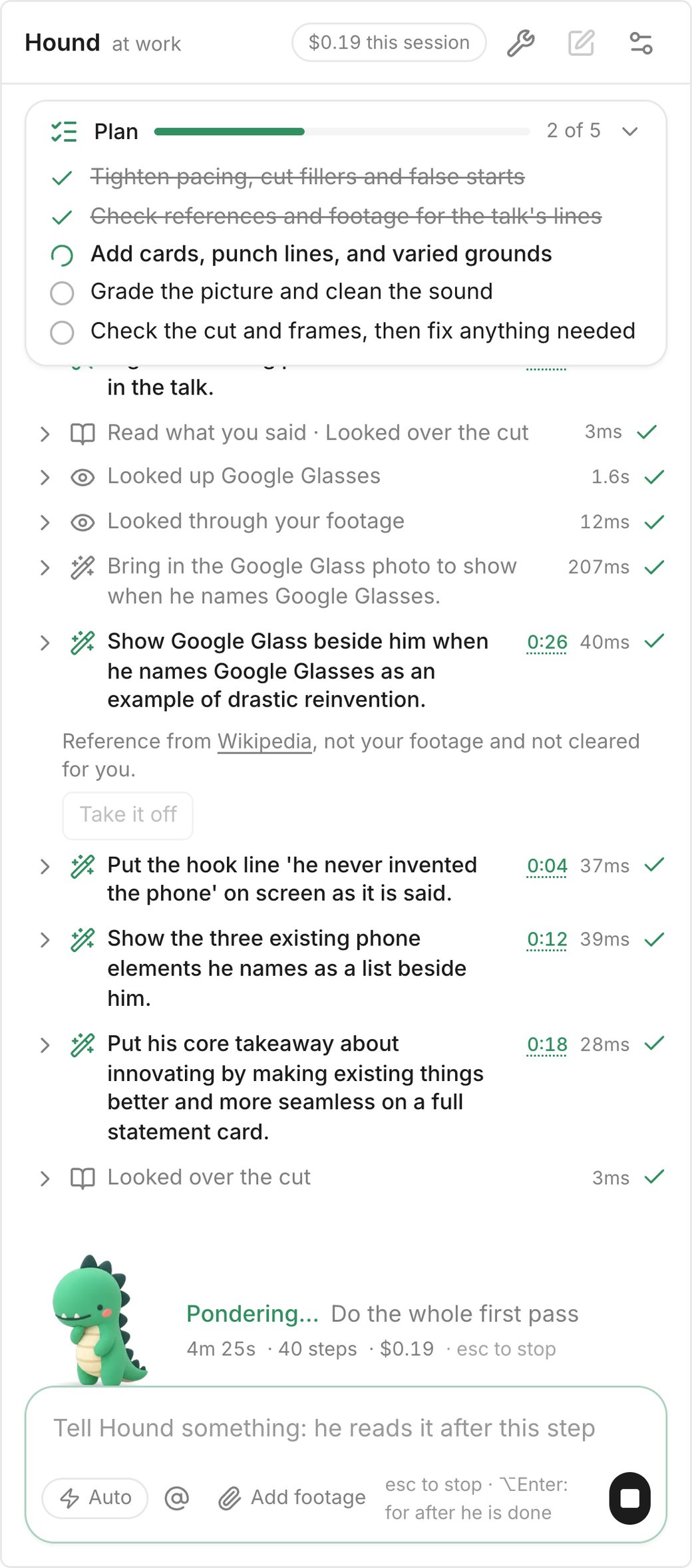
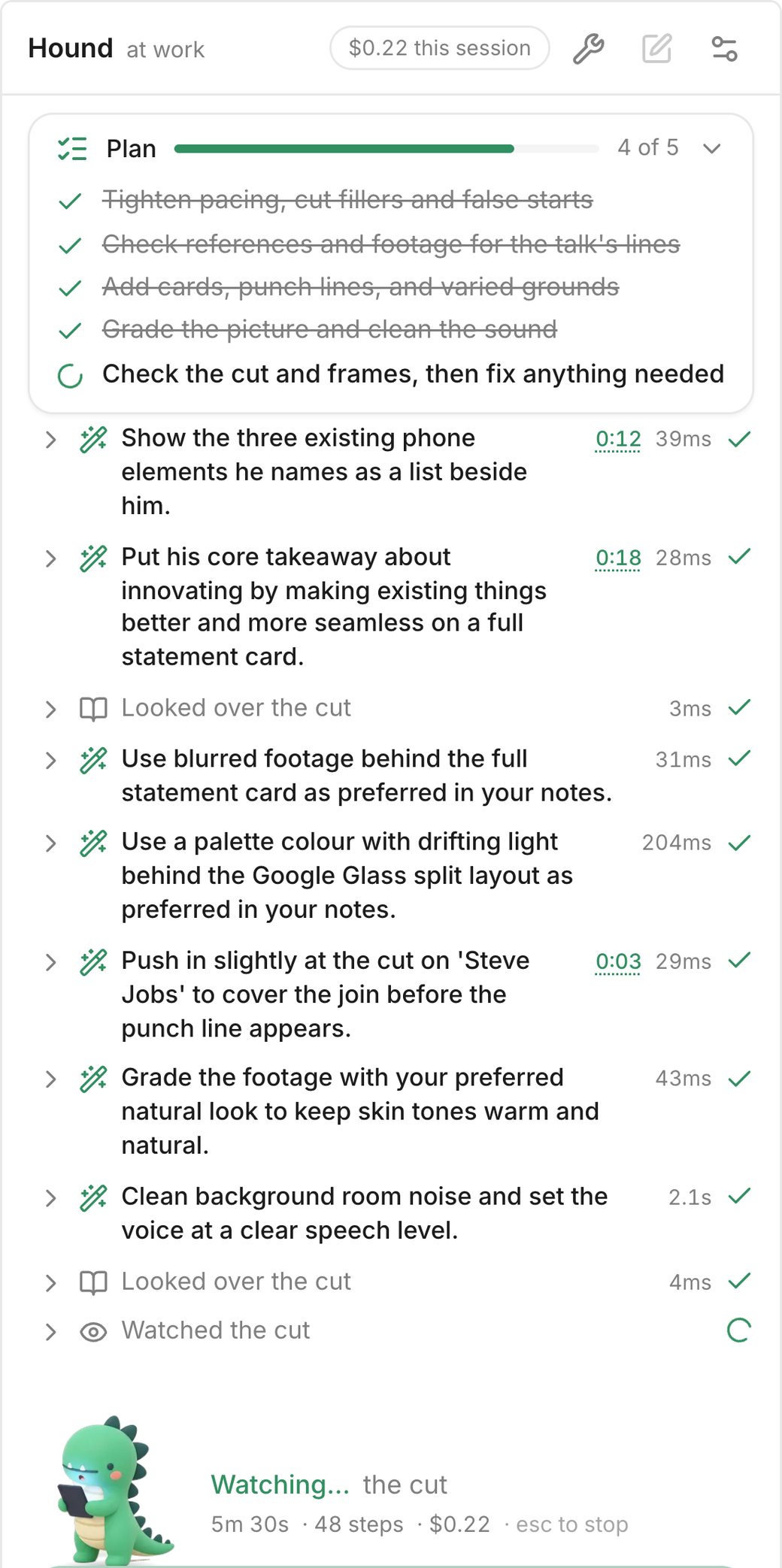
A new project was then started in the same browser: a 40-second stretch of another talk of mine, with no clips added. Hound used his notes: among his steps were “Use blurred footage behind the full statement card as preferred in your notes” and a palette colour with drifting light behind a split layout, “as preferred in your notes”. In the same pass he looked up Google Glass, which the talk names, and put a photo of it beside me as a reference from Wikipedia, marked “not your footage and not cleared for you”, with a button to take it off. Nobody asked for that one: Hound may put up a reference where the talk names a thing. That first pass cost $0.30 of model calls, by the run's log.
How long it takes
The minutes of these runs are not given here. The test browser had no screen, and it prepared the cut for Hound to watch far slower than a normal browser does, so its minutes, and the timers in the screenshots, would mislead. Before a first pass, the button quotes a time from the video's length and the credits it will use: about 10 minutes for this talk, and 7 to 10 minutes when you point at it. It is an estimate, and runs vary. Two first passes on this talk that were timed in an ordinary browser, beside what editing services list for turnaround and the steps of an edit by hand, are in how long it takes to edit a YouTube video.
Before you hand one your footage
Six things to check in any video editing agent
- Where the shots come from. Your own footage, stock, or newly generated. Some agentic editors offer all three in the same project.
- What it takes in. The cut as moving picture and sound, or stills and a transcript, and the same for your footage. In Timeline-Bench, the code agents saw footage mostly as stills and heard it as transcripts and level measurements.
- Whether it says why. A reason beside each change lets you overrule it fast. A reason is not proof, so watch each change.
- How you take a change back. One step, one ask, or the whole run.
- What it hands back. A finished MP4, or a timeline you can open in Premiere, Final Cut or DaVinci Resolve, and which of those it has been tried in.
- What a run costs and how long it takes, said before you press, and where your footage goes while it works.
Where Takehound fits
Takehound is an AI video editor in Chrome on a laptop or desktop, for long talk-to-camera videos. Its agent is Hound, and on a talk he watches and listens to the cut he makes. One press makes a first pass on your recording: he cuts long pauses, filler words and repeated takes, places your own clips where he matches them to what you say, working from written descriptions of stills from each clip, and puts key lines on screen, with a reason for each change.
B-roll is only your own footage, and a line none of it fits stays on you. A book, product or site you name may go up as a reference, with its source, marked as not cleared for you: he may add one without being asked, and you take it off or carry the rights yourself. Steer him in plain words, undo an ask or his changes one step at a time, and he writes down how you cut and reads it on the next video. Then export an MP4, or a timeline (FCPXML) that imports into DaVinci Resolve, where its clips then need relinking to your footage. It does not export to Premiere, and the file has not been opened in Final Cut.
Sign in with Google for a free first video, up to 30 minutes. See privacy.
Other tools place your own clips too: AI B-roll from your own footage compares nine of them.
See how Takehound worksQuestions
What is a video editing agent?
An AI system that edits a video by choosing its own next step with an editor's tools, from what it finds along the way, rather than following steps written in advance. Anthropic's guide to building agents, read on 2026-11-03, draws this line between agents and workflows.
Is an AI editing agent as good as a human editor?
Not in the one large blind test found for this page, which tested AI models in coding-agent tools, and one in DaVinci Resolve by computer use, rather than AI editing products. In Timeline-Bench, 43 video editors preferred the professional reference edit 83.5% of the time and the agent's edit 11.1%, and the agents fell short mostly on craft. Takehound was not in that test, and neither were the other products on this page. Takehound is built to do the grunt work of a first pass, and the taste stays yours.
Can a video editing agent use my own footage?
Some can. invideo and Eddie AI both work on footage you upload, and both also offer licensed or licence-free stock and newly generated footage. In Takehound, B-roll is only your own footage. When you name a book, a product or a site on camera, Hound may put up a picture of it as a reference without being asked, with its source, marked as not your footage and not cleared for you. You can take it off; if you keep it, the rights are yours to carry.
Can I undo what an editing agent did?
In Takehound, while the page that ran it is open, “Undo this ask” takes the cut back to just before that ask, including any edits you made yourself since, and the editor's undo takes his steps back one at a time, though one step can change several things. A line he wrote down stays until you take it out of his notes or tell him to drop it. invideo's page says any change there can be undone or redone, with branches and version history. Check any other tool before a long run.
More guides
- Can ChatGPT edit videos? What OpenAI says, and a real cut
What OpenAI's help pages say, what three published tests showed ChatGPT doing with video, and 39 seconds of a talk, cut.
- AI video editor with your own footage: how to choose
Four kinds of AI video editor for your own footage, a decision table, and five questions to ask.
- What is a talking head video? Real frames from one
What the term means, what counts as one, and one real talk cut from 7:23 to 6:22, with B-roll and words on screen added.