A human editor
$100 to $300 a video
Or an editing subscription of $500 to $2,700 a month.
- Your lesson waits in their queue
- You brief them again on every video
- Changes go back and forth by message
Press one button and watch Hound put your slides where you refer to them, your steps on screen and your chapters in place.
Start free with GoogleSign in with Google for a free first video. No card, no install.
Runs in Chrome on a laptop or desktop.

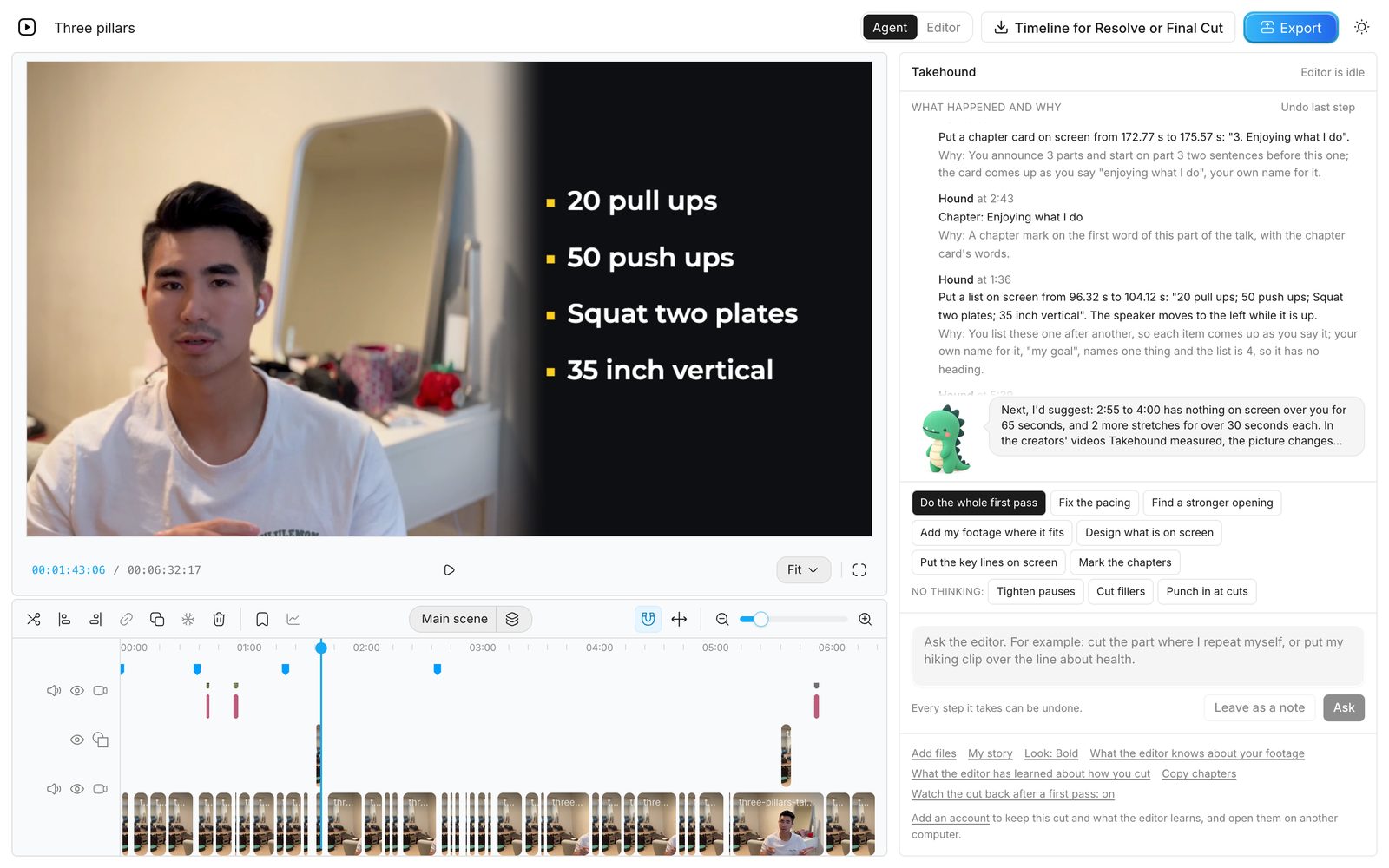
My own talk, made with Takehound. Hound did the first pass, then I told him what to change in plain words.
He looks at the recording
Before Hound puts anything on screen, he looks across the whole recording for what is already there. After, he looks again at what he placed.
Picture
On a real 15-minute lesson with 14 slides, he found the ones the recording already shows and laid only the two the teacher never showed, beside him.
Space
Of the 24 things he put on screen, none sat over one of the teacher's own slides, and he took his push-ins off six stretches where a slide was in the picture.
His own work
He took one of his own slides back off after looking: “The recording itself shows a slide here.”
He looked at 16 sheets of stills from that lesson to do it. Why not just use ChatGPT or Claude?
See it work
Beside you
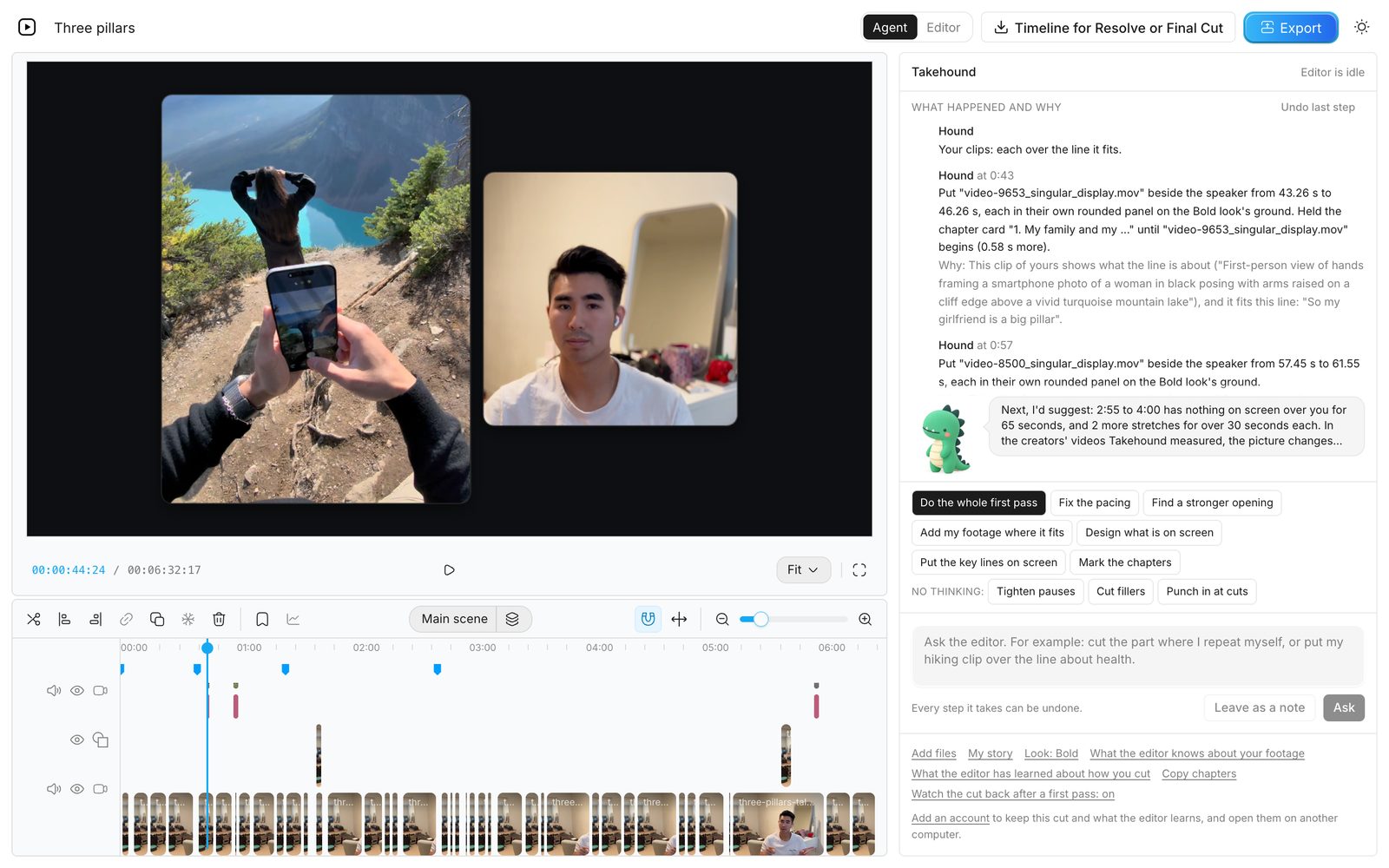
Here it is a clip of mine. A slide or a screen recording takes the same place.
A lesson
You teach, and your slides and screen recordings go where you refer to them. Definitions, numbers and comparisons go on screen in your own words.
My story
You talk, and your own clips and photos go over the lines they fit. Your best lines go on screen, in your own words.
He learns how you cut
Hound keeps what he learns about how you cut, and starts the next job from it.
When you take back or redo his work, he notes how tight you like your pauses and how he pushes in at cuts, then tries it your way on the next video and says so.
Say how you like your lessons cut and he writes it down, then reads it before every job.
Reword a line, take it out or clear it all. The list is kept in your browser and with your account, on any computer you sign in on.
The 80/20
The 80%
A first pass in minutes, from one press.
The 20%
The whole editor is one press away for edits by hand.

I'm Kyle, and I have a full-time job. I built Takehound to do the 80% so my time goes to the 20%.
It's a tool you or your editor run, not an editing service.
KyleTemplates
Looks, colour grades, and jobs for Hound written as plain steps. Start from Takehound's own, or publish yours under your name.
For a lesson: each slide sits beside you while you teach it, so the viewer sees both, and nothing covers its text.
Marks the chapters for YouTube, puts a chapter card where each one begins, and sums the points up in one card near the end.
Calm cards for a lesson: blue-black words on bright paper, a pen-blue accent, serif titles and crisp corners.
Who it's for
Not a fit if you need short-form clips by the dozen or ad variants, or want it done for you. For those, Video editing for coaches compares editors, agencies and tools.
What an editor costs you now
A human editor
$100 to $300 a video
Or an editing subscription of $500 to $2,700 a month.
Takehound
First video free
A recording up to 30 minutes, with your notes on it. More videos use credits, and they never expire. No card.
Sign in with Google to start.
Editor prices are what editors and editing subscriptions list on their own pages. Video editor cost per video has them with their sources.
How it works

Open the editor, pick A lesson, and add your recording, your slides saved as images and any screen recordings. Phone footage is fine, and you don't need to rename or tag it. If clients appear in a clip, use it only with their consent.
Press Do the whole first pass. Hound places your slides, puts your steps on screen and marks the chapters while you watch, each change with its reason in the feed.
Ask for changes in words, or edit by hand. Export an MP4, or hand your editor a timeline for DaVinci Resolve.

FAQ
Cleaning the sound and grading the colour happen in your browser, and no sound and no picture is sent for them. Each of these is sent when you press its button. The review after the first pass is the one exception: it sends a small copy of your cut, picture and sound, to Google's Gemini model without another press.
What goes to Anthropic's API may pass through OpenRouter on the way, and what goes to Jev or Gemini always does; OpenRouter relays it. Takehound's server keeps none of it, and nothing you send is used to train a model. Your projects and what Hound learns are kept in your browser. With an account they are kept with it too: each cut's timeline, its reasons and notes, the words and your file names, not the video files. Those are uploaded when you are signed in, because footage storage is on for every signed-in account, so your footage library is there on any computer you sign in on. Delete a project from your list in the editor, clear what it has learned in the Takehound panel, and Delete this account removes everything an account keeps. Keep client names out of your file and folder names. The privacy page has every detail.
Only use footage you have the right to use, including the clients who appear in it.
A chat assistant can tell you what to cut, and a coding tool can run the cuts on your computer if you set it up. Then you are the one checking every render for a card over your slide or your face.
Hound looks at the recording himself and does that checking. He works in an editor you can see, where every step can be undone, starts from looks and editing jobs made for lessons, and remembers how you cut. There is nothing to install and nothing to run on your computer.
Yes. Sign in with Google and the editor opens. Your account keeps your projects, what Hound has learned about how you cut, the look you chose, your footage logs (each shot's description and your file names) and, while footage storage is on, your footage library, so all of it is there on any computer you sign in on. Delete this account, on the account page, removes all of it.
A laptop or desktop with Chrome. The editor needs a wide screen, so it is not made for a phone or a tablet, and it works best in Chrome.
Yes. Save the timeline file and hand it over: it opens in DaVinci Resolve (free), with your cuts, slides and clips placed. The words on screen come in as titles your editor can edit. It does not export to Premiere. Final Cut has not opened one.
Or finish in the browser and export an MP4.
Nothing for your first video once you are in, a recording of up to 30 minutes, and the notes you give on it. There is no card, so nothing is charged and nothing renews. More videos use credits, and they never expire.
Start free
Sign in with Google for a free first video. No card, no install.