Guide
How long does it take to edit a YouTube video?
There is no single answer: it depends on how long the recording is and how much the video needs. Some of it can be counted. Watching a raw recording through once at normal speed takes as long as the recording runs. The two editing services read for this guide list a turnaround of 48 hours and of 1 to 2 days. After the edit, YouTube needs time to process the upload. Below are the steps an edit takes, what those services list, and one real talk timed step by step in an AI editor, with the dates.
- 48 hoursTasty Edits' listed turnaround
- 1 to 2 daysVidchops' listed turnaround
- about 17 minutesfor the six timed steps on a 7:23 talk
The steps
Where the time goes in an edit
For a video where you talk to camera, these are the steps between the raw recording and a video people can watch.
- Watching the raw recording. Once through at normal speed takes as long as the recording: a 20-minute recording is 20 minutes of watching.
- Cutting the talk. Long pauses, filler words, false starts and repeated takes come out. Premiere, Final Cut and DaVinci Resolve all cut on a timeline by hand, and some of these apps also cut by the words. In Premiere, Text-Based Editing detects pauses in the transcript and lets you delete filler words or pauses one at a time or all at once (Adobe's help page, read 2026-11-05). If you read from a script, IntelliScript in DaVinci Resolve 21 also takes it as a Final Draft or plain text screenplay file, compares it with the transcribed audio and makes a cut, which you then fine-tune with the usual editing tools (Blackmagic's page on what is new in Resolve 21, read 2026-11-05).
- Covering the talk. B-roll over the lines it fits, words on screen, chapters.
- Finishing. Sound levels and noise, colour, music and captions.
- Checking. Watching the cut again, fixing what you find, then exporting the file.
- Uploading and processing. YouTube processes a new upload in low quality first, and higher qualities such as 1080p or 4K can take longer, so for several hours the video may seem to be missing them. Its help page says a 60-minute 4K video at 30 frames a second can take up to 4 hours to finish high-resolution processing, and that the time depends on the video's format, length, frame rate and quality, and on traffic, among other things (YouTube Help, read 2026-11-05).
Steps 2 to 5 done by hand were not timed for this guide, so no figure is given for them here.
Turnaround
What two editing services list
Both of these edit YouTube videos for a fee, and both pages were read on 2026-11-05. A turnaround is the time a service lists to send an edit back. Neither page says when it starts counting, or how many hours of editing go into one video.
Tasty Edits
From its pricing page, read 2026-11-05
- Turnaround listed
- 48 hoursWith updates every 24 hours
- What it covers
- Horizontal videos, with unlimited revisions
- Price listed
- $327 a video for one, $278 a video in a package of 8
Vidchops
From its pricing page and its questions, read 2026-11-05
- Turnaround listed
- 1 to 2 daysMarked guaranteed, with an asterisk the page does not explain, and revisions in 1 business day. One answer, about an
Unlimited Chops
plan the page does not list, says 2 business days, and its answer on turnaround adds thatif your project is complex we might ask for additional hours
. Its full-time editor plan, which lists no price, lists same-day turnaround - What it covers
- Long-form videos, which its plans count as 5 to 60 minutes, or short ones at 4 to a long-form one. Its questions cap the raw footage at 60 minutes and give the finished video's limit two ways: 15 minutes in one answer, and 20
except under special circumstances
in another. Its editors work in Final Cut Pro and Premiere Pro - Price listed
- $495 a month for 4 long-form videos, $995 for up to 8
What these two and eight other services charge, plan by plan, is in the guide to video editor cost per video.
One talk, timed
A 7:23 talk through an AI editor, step by step
I'm Kyle, and I built Takehound, an editor in the browser for long talks to camera, so weigh what this section says about it. On 2026-10-23, a 7:23 talk of mine, its first minute trimmed off beforehand and otherwise uncut, went through its editor on the live site with four of my trip clips. It ran in an ordinary Chrome window on my account, driven by an AI assistant as part of a test of the whole site, from a smaller copy of the file. These are the times its steps took, from that day's notes, and last the cut's own length.
- Transcribe the talk1,180 wordsabout 1:30
- Describe the four clipsabout 0:20
- One press: the first pass and its review7:23 down to 6:159:41
- One ask in plain words6:15 down to 5:325:19
- The timeline file for Resolveat once
- The MP4 exportunder 1:00
- Watching the 5:32 cut through onceThe cut's length: a person's time, not timed on the day5:32
The six timed steps add up to about 17 minutes, not counting the upload or the time to read the review and type the ask, beside the 7:23 it takes to watch the uncut talk once.
The one press cut the talk from 7:23 to 6:15. It put a title card, five chapters and list cards on screen, placed the clips, fixed cards of its own that overlapped, and marked 4:01 as worth a look. Its review then listed what was left: five fixes to make by hand, such as a false start to cut, seven smaller things, and a jump in loudness of 11 dB at 1:43, of which it said No command here evens it out
. The ask typed for the test, I'm not an editor, fix them yourself and even out 1:43
, did both in 5:19.
An earlier first pass on the same talk, on 2026-10-17, took 9:24 and cut it from 7:23 to 6:32. That one ran on a copy of the editor with the live site's settings and my footage library. The editor has changed since both runs. Before a first pass, its button shows an estimate from the video's length: about 10 minutes for a 7:23 talk, and 7 to 10 when you point at it; for a 20-minute recording, about 28, and 18 to 28. You can watch, steer or stop it while it works, and take back an ask, along with anything changed after it, or his steps one at a time, while the page that ran it is still open.
What one press hands back is a first cut, not a judgement that the video is ready. In this run its own review found what was left, and whether the 5:32 cut was good enough to publish was a person's call.
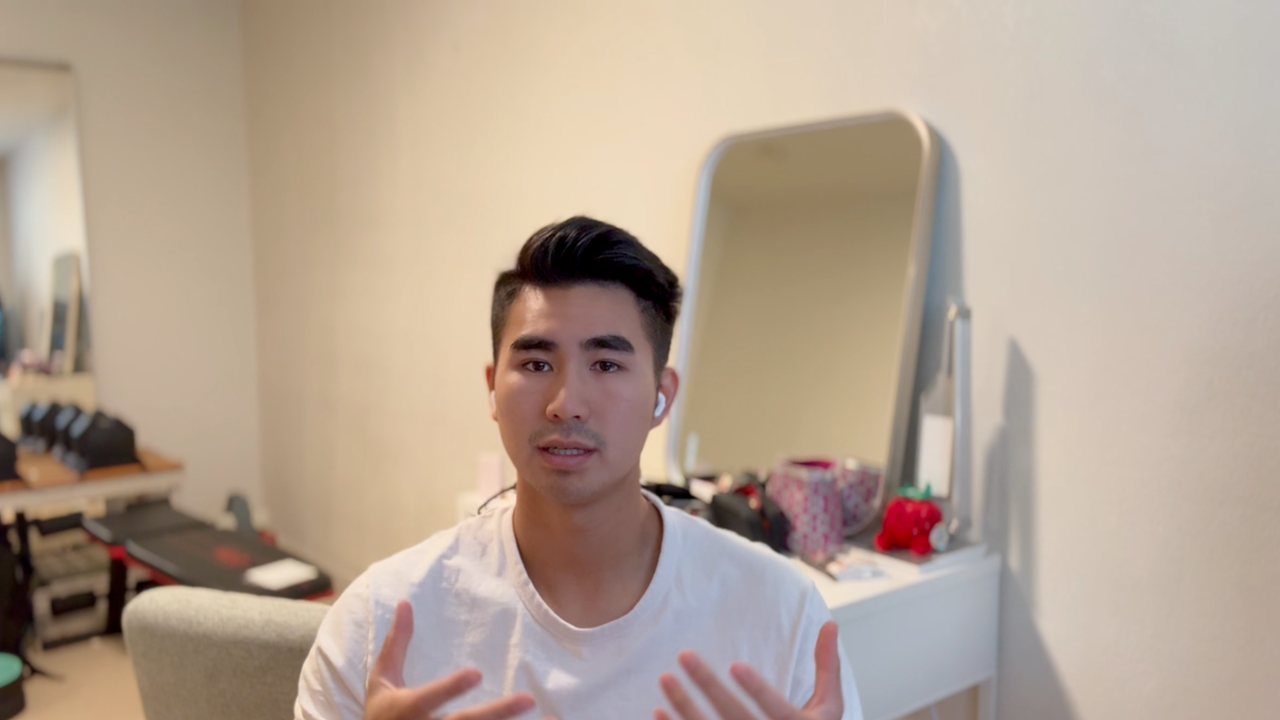
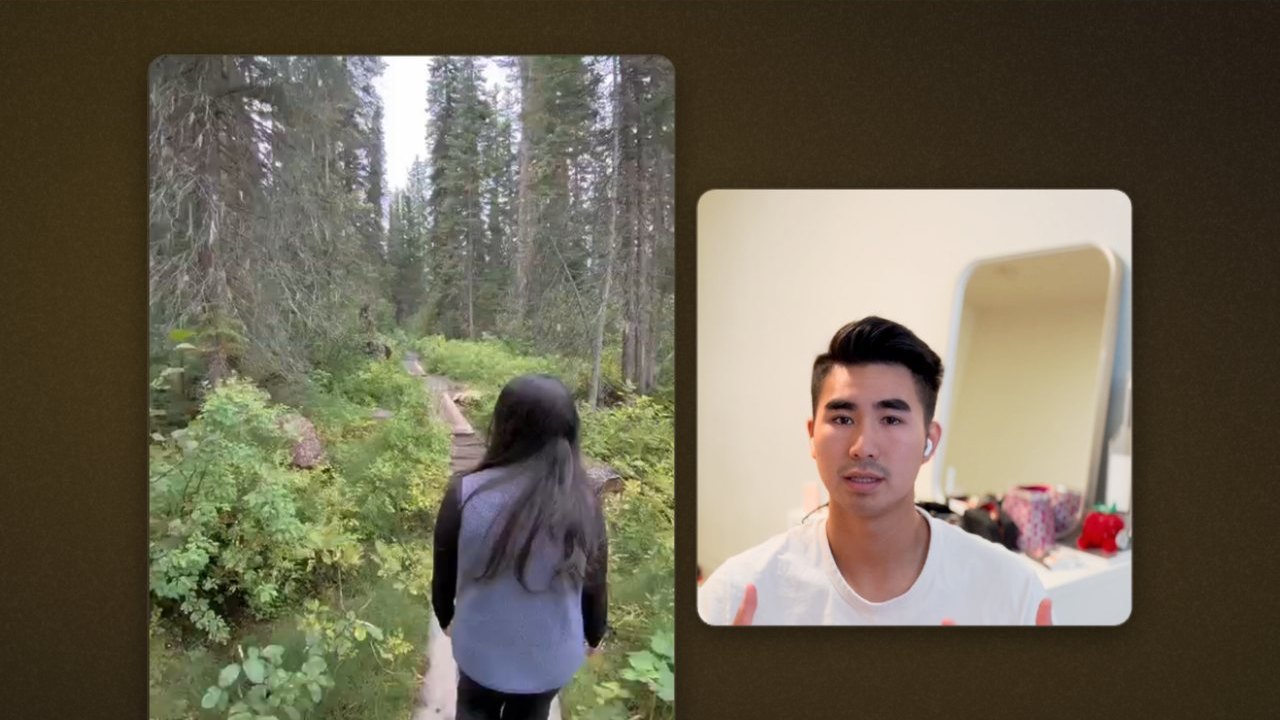
These two frames come from a later run on the same talk, on 2026-11-02, on a copy of the editor on my Mac with the live site's settings, with 48 of my trip clips and one ask about the backgrounds. Its minutes are not given, because it ran in a test browser with no screen, which is slower than an ordinary one.
Where Takehound fits
Takehound is an AI video editor in Chrome on a laptop or desktop, for long talk-to-camera videos. Its agent is Hound, and on a talk he watches and listens to the cut. One press makes a first pass on your recording: he cuts long pauses, filler words and repeated takes, places your own footage on the lines it fits, and puts key lines on screen, with a reason for each change. The button says how long it should take before you press it.
B-roll is only your own footage, and a line none of it fits stays on you. A book, product or site you name may go up as a reference, with its source, marked as not cleared for you: he may add one without being asked, and you take it off or carry the rights yourself. Steer him in plain words, and he learns how you cut. Then export an MP4, or a timeline (FCPXML) that imports into DaVinci Resolve, where its clips then need relinking to your footage. It does not export to Premiere, and the file has not been opened in Final Cut.
Sign in with Google for a free first video, up to 30 minutes. See privacy.
Other tools place your own clips too: AI B-roll from your own footage compares nine of them.
See how Takehound works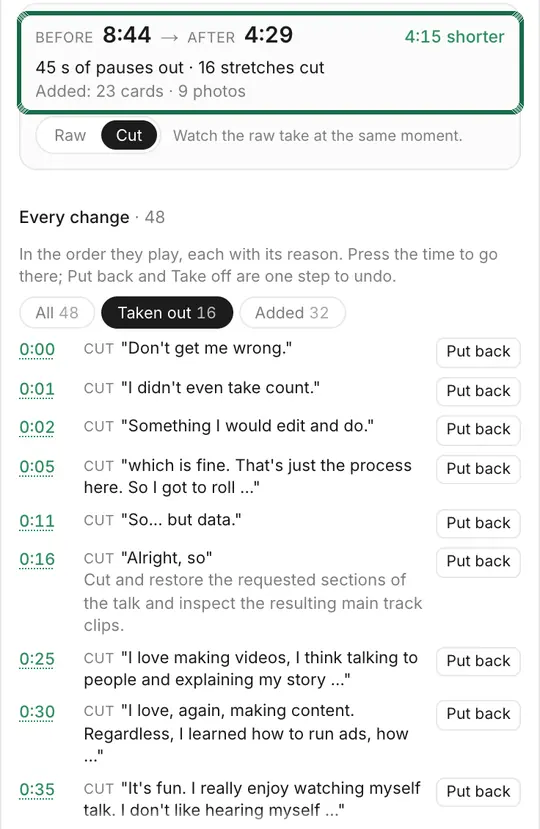
Questions
How long does it take to edit a 10-minute YouTube video?
No figure for doing it by hand was measured for this guide. Watching the raw recording through once at normal speed takes as long as it runs, before any cut. Tasty Edits lists a 48-hour turnaround and Vidchops 1 to 2 days, both read on 2026-11-05. In Takehound, the first pass's button shows about 14 minutes for a 10-minute recording, and 9 to 14 when you point at it, and a first pass with its review on a 7:23 talk took 9:41 on 2026-10-23.
How long does YouTube take to process a video?
YouTube processes an upload in low quality first, and for several hours the video may seem to be missing higher qualities such as 1080p or 4K. Its help page says a 60-minute 4K video at 30 frames a second can take up to 4 hours to finish high-resolution processing, and that a 4K video at 60 frames a second takes longer. It was read on 2026-11-05.
How fast does an editing service send a video back?
Tasty Edits lists a 48-hour turnaround for its horizontal videos. Vidchops lists 1 to 2 days on its two monthly plans, 1 business day for a revision, and same-day turnaround on its full-time editor plan. Both pages were read on 2026-11-05, and neither says how many hours of editing go into one video.
How long does an AI editor take on a talk?
On 2026-10-23, one press of Takehound's first pass, with its review, on a 7:23 talk took 9:41, and one more request in plain words took 5:19. An earlier first pass on the same talk, on a copy of the editor with my footage library, took 9:24. What it hands back is a first cut: its review listed what was left, and whether the cut was ready stayed a person's call.
More guides
- Video editor cost per video: what 10 editing services list
Seven of ten editing services have a per-video figure, from about $14 for a short clip to $327. Every plan, caps and extras.
- AI editing agent for video: what one did on a real talk
What makes an AI editor an agent, what a benchmark of 56 editing jobs found, and one agent's run on a real talk, step by step.
- How to brief a video editor: what to send, with a template
A seven-part brief and copy-ready template for coaches handing a script and footage to a video editor.