A human editor
$100 to $300 a video
Or an editing subscription of $500 to $2,700 a month.
- Your video waits in their queue
- You brief them again on every video
- Changes go back and forth by message
- If the cuts come back wrong, you find someone else
For founders and YouTubers who publish every week
“I was spending like 10 to 20 hours a week editing videos while I was working full time.”
It waits for an evening in the timeline, or $100 to $300 a video and a place in an editor’s queue. Hound, an AI editor, does the first pass in about ten minutes on your own footage, and says why for every change, so there is nothing to brief and nobody to chase.
Free access from the waitlist, opening shortly. No card, no install.
Runs in Chrome on a laptop or desktop. People are let in a few at a time.

My own talk, cut by Hound. One press for the first pass, then four asks in plain words. Nothing cut by hand.
“I want to delegate editing my YouTube videos, but every time I do that, the quality is miserable. I keep firing them. I keep having this back on my lap.”
“I pay $2,500-3,000/month for 4 long-form videos plus 20 shorts.”
Public interviews and posts, each linked. None of them are customers.
One video, start to finish
Add the talk
Your recording, plus the clips, photos, slides and screen recordings you mean to use. That is the whole setup.
Press once, watch
It reads what you said, drops the pauses, the filler and the takes you did twice, and starts cutting in front of you.
Every change has a reason
The feed says why each cut happened, in plain words. Stop it wherever you like. Ask for something different the way you would ask a person.
What comes out
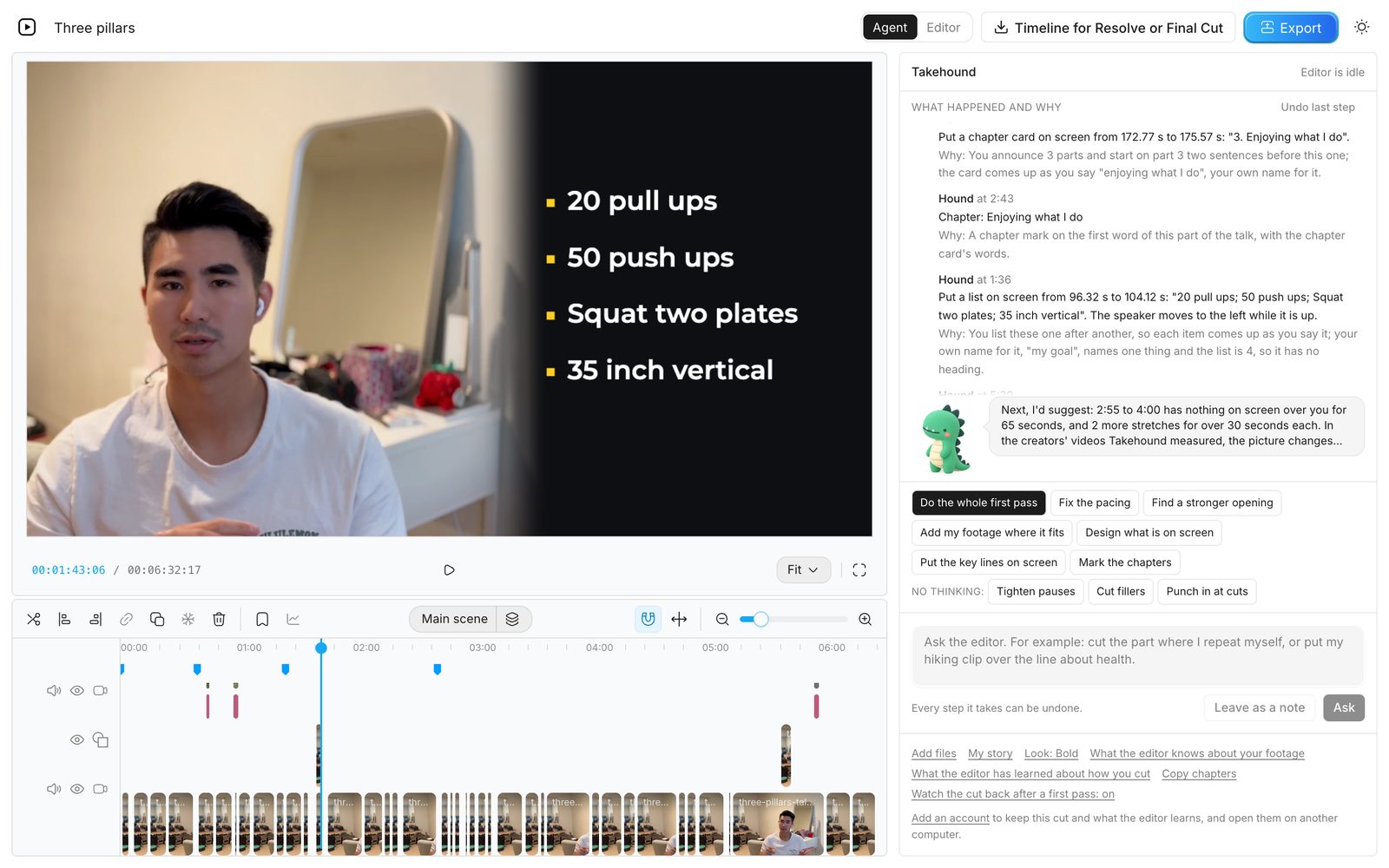
Your clips sit where you talk about them, your key lines are on screen in one of two looks, and the chapters are marked to paste into YouTube.
The next video
What you kept, it keeps. That is the part a hired editor has to relearn on every single video.
Hound does the eighty per cent. The story, the emphasis and the taste stay yours, and the timeline is one press away when you want your own hands on it.
It watches the cut
Editing a talk means seeing where you are in the frame, what your hands are doing and what is already on screen, and hearing where every cut lands. On a talk, Hound watches your cut as moving picture and sound before it changes anything, and again after.
Sound
On my own talk it listened to all 19 cuts, heard one that clipped the word “it”, and put the word back.
Movement
It took one of my lines back off the screen where my hands came up into the frame.
Picture
Where the cut already showed my hiking clip, it took its own push-in back, so only my face gets pushed in.
It also cut 13 ums by ear that the transcript had folded into other words. Why not just use ChatGPT or Claude?
See it work
Ask in plain words
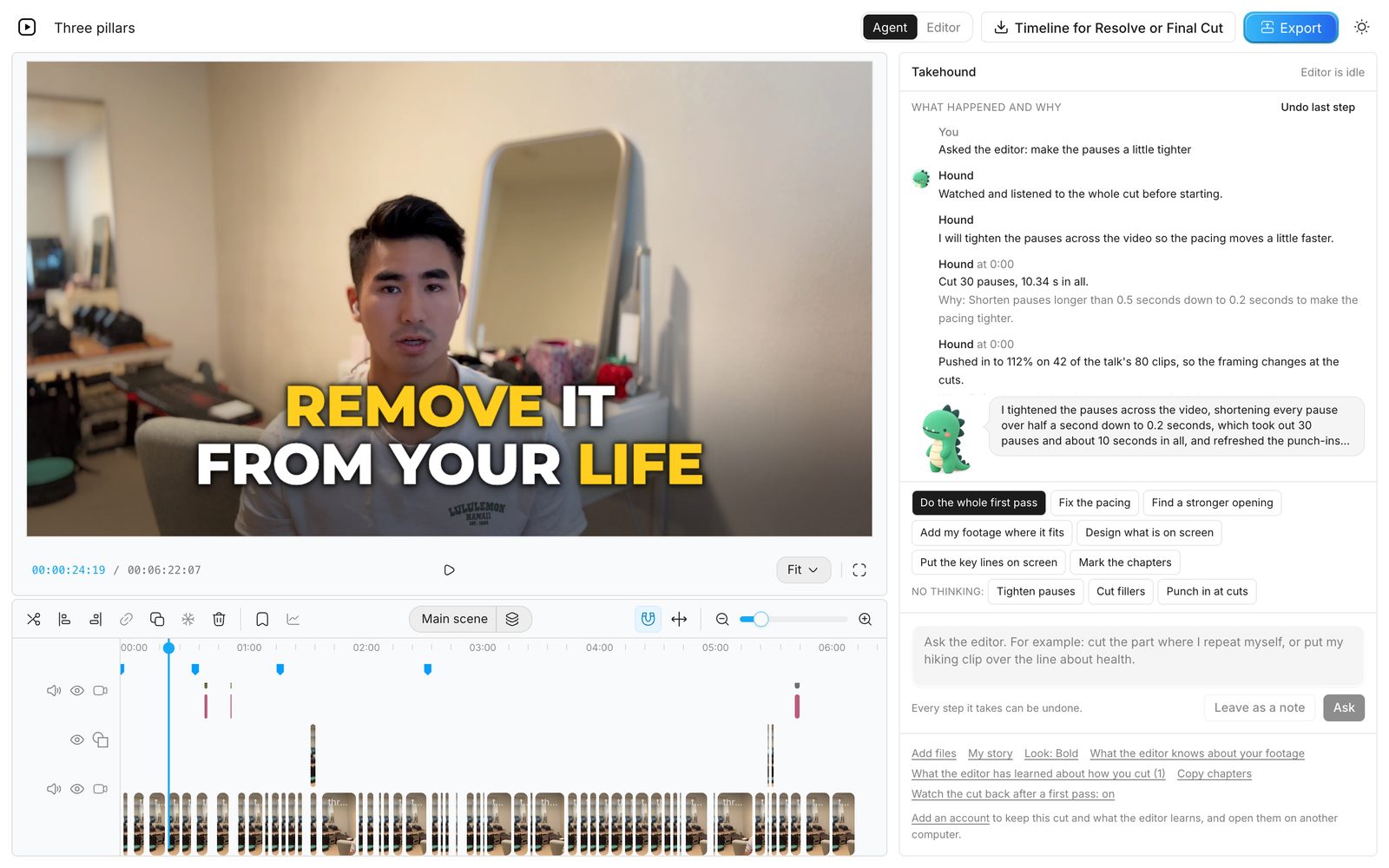
It watched and listened to the whole cut first, then cut 30 pauses, 10 seconds in all. It wrote that down, so your next video starts with pauses this tight.
My story
You talk, and your own clips and photos go over the lines they fit. Your best lines go on screen, in your own words.
A lesson
You teach, and your slides and screen recordings go where you refer to them, beside you. The names of your steps go on screen and the chapters are marked.
Templates
Looks for what goes on screen, colour grades, and jobs for Hound written as plain steps. Start from Takehound's own, try one on your own footage, and publish yours under your name for other creators to use.
Makes the first thirty seconds earn the next thirty: the strongest line first, no dead air, and the title on screen.
A lamp-lit studio: warm whites, deeper blacks and a little more colour in the room, with your skin as it was shot.
White capitals and an amber accent on deep navy, for business talks that make one point at a time.
What an editor costs you now
A human editor
$100 to $300 a video
Or an editing subscription of $500 to $2,700 a month.
Takehound
Free access
From the waitlist, opening shortly. No card.
There is a daily limit per visitor.
Editor prices are what editors and editing subscriptions list on their own pages. Video editor cost per video has them with their sources.
FAQ
Cleaning the sound and grading the colour happen in your browser, and no sound and no picture is sent for them. Each of these is sent when you press its button. The review after the first pass is the one exception: it sends a small copy of your cut, picture and sound, to the same models without another press.
What goes to Anthropic's API may pass through OpenRouter on the way, and what goes to Jev or Gemini always does; OpenRouter relays it. Takehound's server keeps none of it, and nothing you send is used to train a model. Your projects and what Hound learns are kept in your browser. With an account they are kept with it too: each cut's timeline, its reasons and notes, the words and your file names, not the video files. Those are uploaded when you are signed in, because footage storage is on for every signed-in account, so your footage library is there on any computer you sign in on. Delete a project from your list in Takehound, clear what it has learned in the Takehound panel, and Delete this account removes everything an account keeps. Privacy has every detail.
Takehound can't check who agreed to be filmed, so only use footage you have the right to use.
A chat assistant can tell you what to cut, and a coding tool can run the cuts on your computer if you set it up. Then you are the one watching every render and fixing it.
Hound watches the cut itself, picture and sound, and does that checking. It works in a timeline you can see, where every step can be undone, starts from looks and editing jobs made for this kind of video, and remembers how you cut. There is nothing to install and nothing to run on your computer.
Yes. Takehound is opening from a waitlist: join it, and once you are let in you sign in with Google and Takehound opens. Your account keeps your projects, what Hound has learned about how you cut, the look you chose, your footage logs (each shot's description and your file names) and, while footage storage is on, your footage library, so all of it is there on any computer you sign in on. Delete this account, on the account page, removes all of it.
A laptop or desktop with Chrome. Takehound needs a wide screen, so it is not made for a phone or a tablet, and it works best in Chrome.
Footage from your phone works. Copy the clips to your computer first.
Yes. Save the timeline file and open it in DaVinci Resolve (free), then point it at the folder your footage is in: the clips come back online and your cuts come in placed, with the words on screen as titles you can edit. It does not export to Premiere, and Final Cut is not tested yet.
Or finish in the browser and export an MP4. The import steps, and what to do if a clip shows as missing, are in how to open the timeline in Resolve.
Nothing to try it. Access is free from the waitlist and there is no card, so nothing is charged and nothing renews.
Open the editor
Add your recording and your footage, press one button, and watch the first pass come together.
Open the editorFree access from the waitlist, opening shortly. No card, no install.